
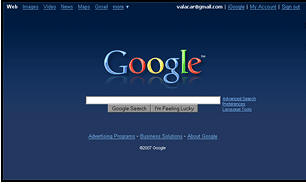
Userstyles is a collection of CSS styling codes for the Firefox browser which let you change the appearance of the web sites you visit. You’ll need to install the Stylish plugin first, then download the styles you want from the site. It’s all very free, a bit Greasemonkey and really quite scary. A blue Google? Whatever next?
userstyles.org is a collection of styles that puts you in control of the appearance of websites and of Mozilla applications. These styles can remove annoying parts of websites, change the colour scheme, streamline your browser, and much more. How does it work? First, install the Stylish extension into Firefox, Flock, or Thunderbird. This is the application that’ll let you manage styles. (Users of other browsers, see your options here.) Next, find a style you like.


![A little hands on time with the cinimizer OLED Multimedia Video Glasses [E3 2013]](http://www.redferret.net/wp-content/uploads/2013/06/IMG_5499-270x190.jpg)


![Revell Cager – impact proof flying fun for all the family [Review]](http://www.redferret.net/wp-content/uploads/2013/06/revellcager-1-270x190.jpg)


![Sony Xperia Z 4G Tablet - hands on with Sony's superb new iPad killer [Video Review] sonyxperiaztablet9 150x150 Sony Xperia Z 4G Tablet hands on with Sonys superb new iPad killer [Video Review]](http://www.redferret.net/wp-content/uploads/2013/06/sonyxperiaztablet9-150x150.jpg)

![Earth Alerts - live map of our planet's natural hazards makes for compulsive viewing (+Freeware] earthalerts2 150x150 Earth Alerts live map of our planets natural hazards makes for compulsive viewing (+Freeware]](http://www.redferret.net/wp-content/uploads/2013/06/earthalerts2-150x150.jpg)


