
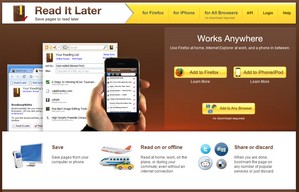
Dan alerted me to the most wonderful Read It Later bookmarking tool and I’ve got to say it looks superb. Think of it as a bookmark manager on steroids and you’ve got the picture. Install it into your browser or iPhone and one click saves the page for future access. In default mode it just saves the URL, but check the ‘offline’ mode box and every page you select will also be saved locally on your hard disk.
The advantage of this is you have two choices of access, either centralised, so you can access your reading list from any computer anywhere with a browser, or locally if you fear the information is likely to disappear or you don’t have a net connection, say on a plane. Unfortunately it’s not quite as sophisticated as the most wonderful Scrapbook plugin for Firefox, which will save all the formatting and layout in a literal snapshot, but for simple offline reading and research it’s certainly a rather cool tool.
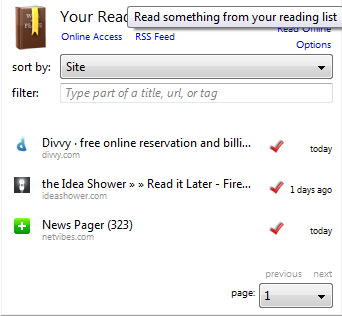
It would definitely benefit significantly from a folders option, so you could save different categories of content in separate folders. But that’s bound to come sooner or later. It also has a neat synch feature which lets you synchronise the central repository with any of your devices, which is very useful for home/work life balance. And of course there’s tagging, sorting and searching. Oh and did we mention ‘save all tabs’? Nice.
Read It Later allows you to save pages to read later. It eliminates cluttering of bookmarks with sites that are merely of a one-time interest.




The trick Nigel, is to use it with the Firefox bookmark manager as well so when you add something to Read It Later, you can also add a filter tag.
It's very easy, just use the icons on the URL bar, the Red Tick saves it to Read it Later, then click the yellow star and add a filter tag to the bookmark entry. Then when you come to read your entries, use the drop Read It Later icon and enter whatever filter you like.
Have a look here under Sorting, Searching and Tagging: http://readitlaterlist.com/firefox/
Thanks for the offline site tip, didn't know about that one.
Hmm…a bit fiddly? :)