
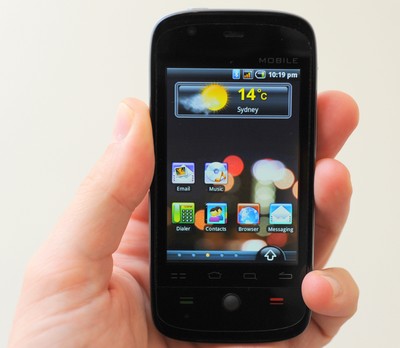
This Excalibur 3G Android Phone is the first higher-end, unbranded Android phone we’ve managed to get our greasy little paws on. It’s fully-featured too with a 3.2″ resistive touchscreen, GPS, camera, rotatable screen, trackball, stereo bluetooth and a pair of batteries so it should keep you out of trouble. Turns out it’s a pretty darn good phone at a good price too. If you like just jump to the end and check out the hands-on video and conclusion.
Out of the Box
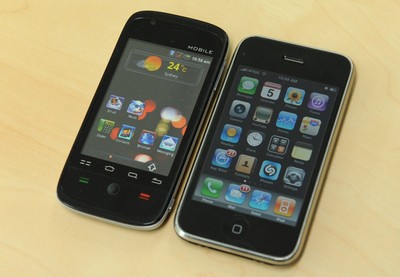
The Excalibur case is plastic, with a black battery cover and silver trim. The back is shiny and collects fingerprints easily but it’s easy to hold and feels secure when picked up. At no time did I feel it would slip out of my hands. It’s a smidge narrower than an iPhone but about the same length.
The case is thin and squeaks slightly when pressed, and the back cover is quite thin and flexes very easily. There is a deep ridge around the camera and flash which prevents fingers from smearing the lens which is a nice touch.
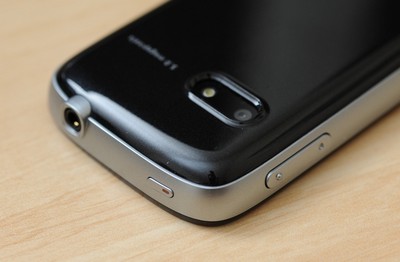
It has the two usual physical call buttons, a physical trackball that feels and works exactly like the previous generation Apple Mouse and the four 4 Android keys (menu, home, search and back). These four keys aren’t physical, they seem to respond to pressure or touch, but they don’t move. Scattered around the edge is a power button, camera shutter button, volume control and a 3.5mm headphone socket on the top.
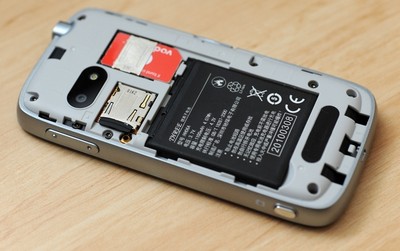
Straight out of the box, the phone comes with a 3.5mm stereo headset, a pair of 1100mAh batteries, microUSB wire for charging and a mains adapter. The phone is running Android 1.6 firmware with a different skin but everything is where it should be, it’s just a little more colourful. To access the SIM and the included 2GB microSD card you have to pop off the battery cover.
User Interface
The 3.2″ touchscreen runs at 480 x 320 and is very bright, and tack-sharp. I happily left it at around 50% brightness all the time. In full sun, I dialled it up to about 75%. Colour rendition seemed ok, but there was quite a bit of banding in the blacks, and they weren’t as inky as on an iPhone. The touchscreen is resistive, but still quite usable (see hands on at the end). Clicking on links in the web browser was fine, with just the odd mis-click. For fine-detailed web-work switching to the trackball helped. Sure it’s not as accurate as a capacitive screen, but the frustration factor was small. There are the usual five home screens and as a nice touch, there are also pips along the bottom, ala the iPhone, to show you which screen you’re on. Everything looks fantastic and crisp, especially the music player.
One odd thing was typing in portrait mode seemed to be more accurate than typing in landscape mode even though the onscreen keys were bigger. Letters Q, A and Z near the edges of the screen were sometimes problematic in either orientation. Having the Android predictive text option switched on by default also helped greatly.
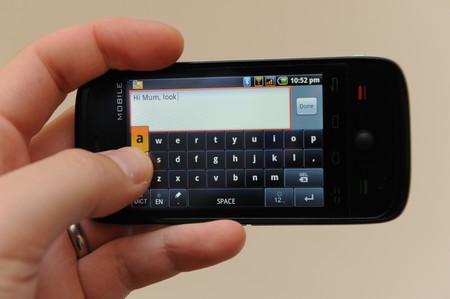
There are a few apps already built-in, but incredibly there is no access to Android Marketplace. The retailer tells me that this is an oversight by the manufacturer and it’s coming, along with firmware updates to Android v2.1. I’ll keep you posted on this. Instead I downloaded a few apps from the AndAppStore and everything seemed to work perfectly.
Wireless
Onboard is b/g wifi, 3.5G HSDPA and Bluetooth 2.1. Wifi sensitivity is very good. I could surf sitting in a car 30 metres from our router, through the brick walls of the house. The phone happily switched from 3G to wifi whenever a hotspot was available and downloads speeds on wifi were fast. I pulled down 56MB of maps for an app in less than 3 minutes. No complaints at all.
The Bluetooth had an interesting quirk. The stereo A2DP worked very well, and even responded to media controls from my Blueant X5 and Plantronics 590 headsets, however when I used it at work, surrounded by people who leave the Bluetooth on their PCs/PDAs and phones discoverable, the Bluetooth playback started to stutter. About every 30 to 60 seconds the sound would drop for a split second. Using the A2DP away from other Bluetooth devices seemed to fix the problem. It paired with anything I threw at it, including stereo headsets, car handsfree units and earpieces.
Camera
The camera can shoot video or stills. The still camera is 2 megapixel, but if you wish the software can interpolate it up to 5Mp. It also has a single LED flash. The dedicated camera button on the phone is quite stiff, but you can use the onscreen button in the camera app. The phone will also geotag your photos if you wish. Here are some example photos taken at 2Mp and 5Mp (interpolated), as well as the scene as my Nikon saw it. Click on any of these to enlarge them.


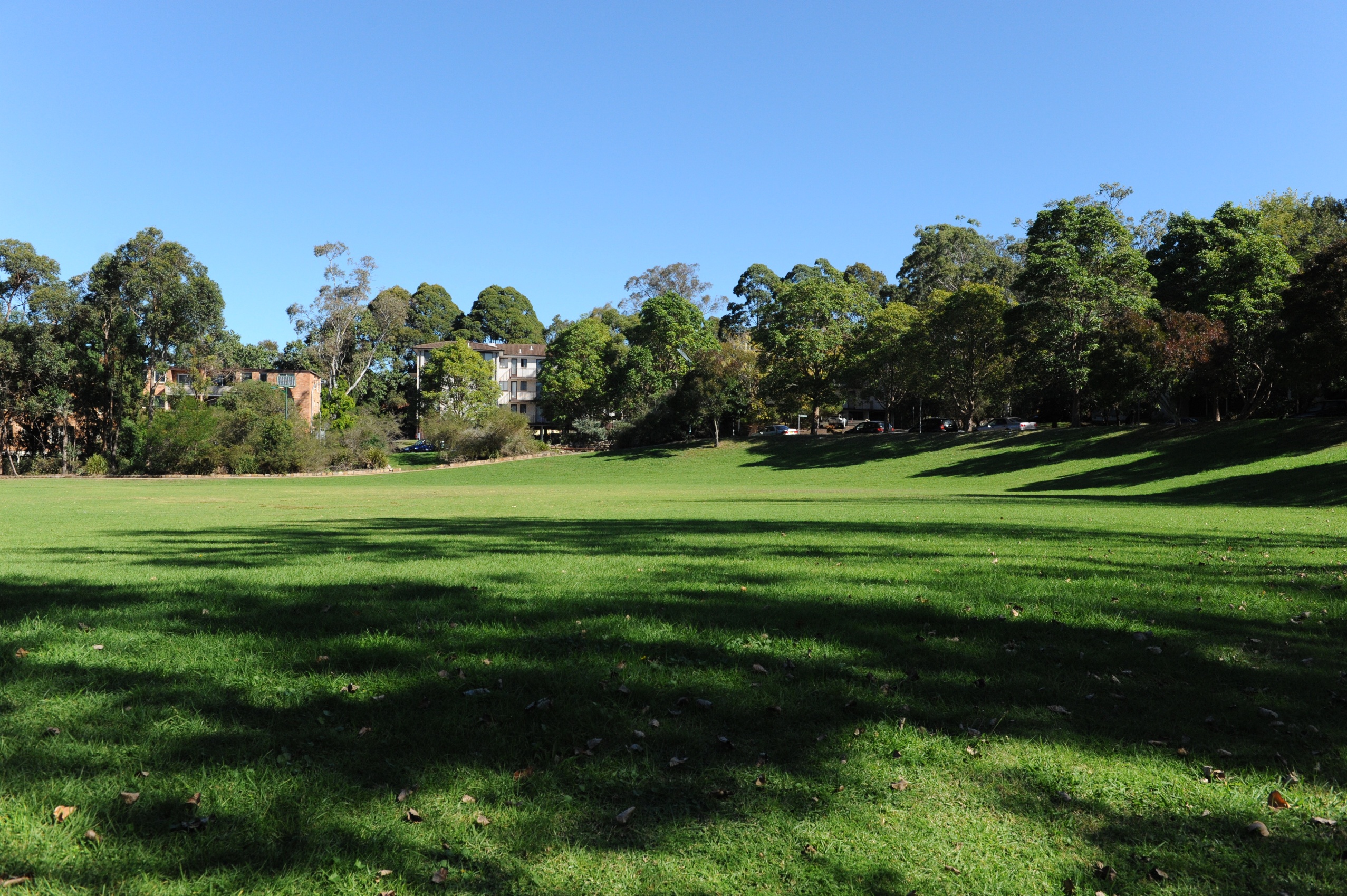
The colours are very saturated, but nothing that can’t be fixed quite easily. For taking stills, the stiff shutter button meant I ended up with a few blurry photos. Using the on-screen button fixed it though. The flash is terrible, but the camera seems to know this and didn’t use it. I had to switch it on manually most of the time but without it, it seemed to handle low-light scenes quite well producing accurate colours and lowish noise, if you could hold it still enough. There is another cool function, when you’re taking a photo you can use the trackball to adjust the exposure compensation and tweak your pics before you take them, which is really quite handy. The photos on the end were taken under CFL lights, the middle photo with the flash. Click on any of these to enlarge them.
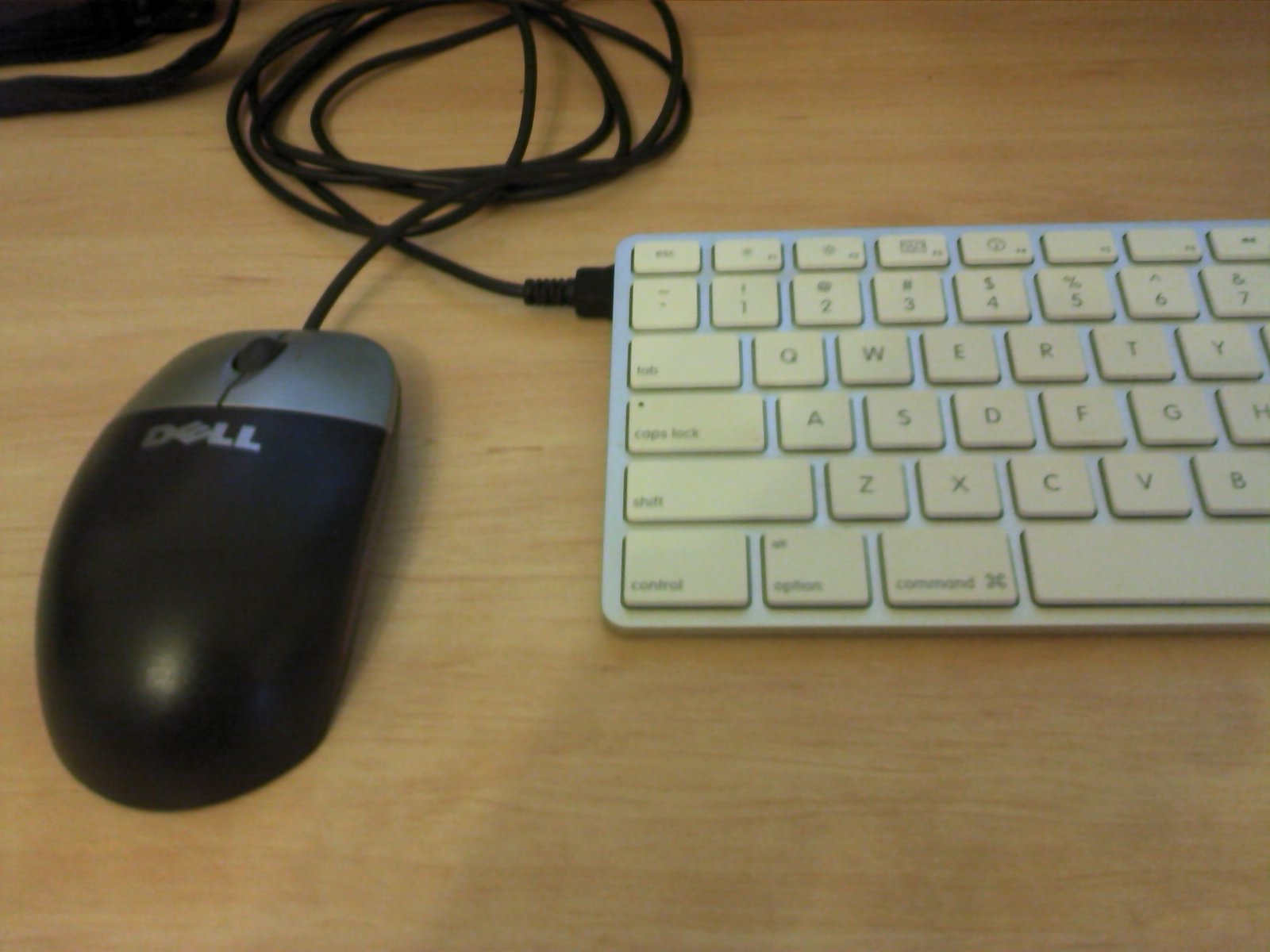
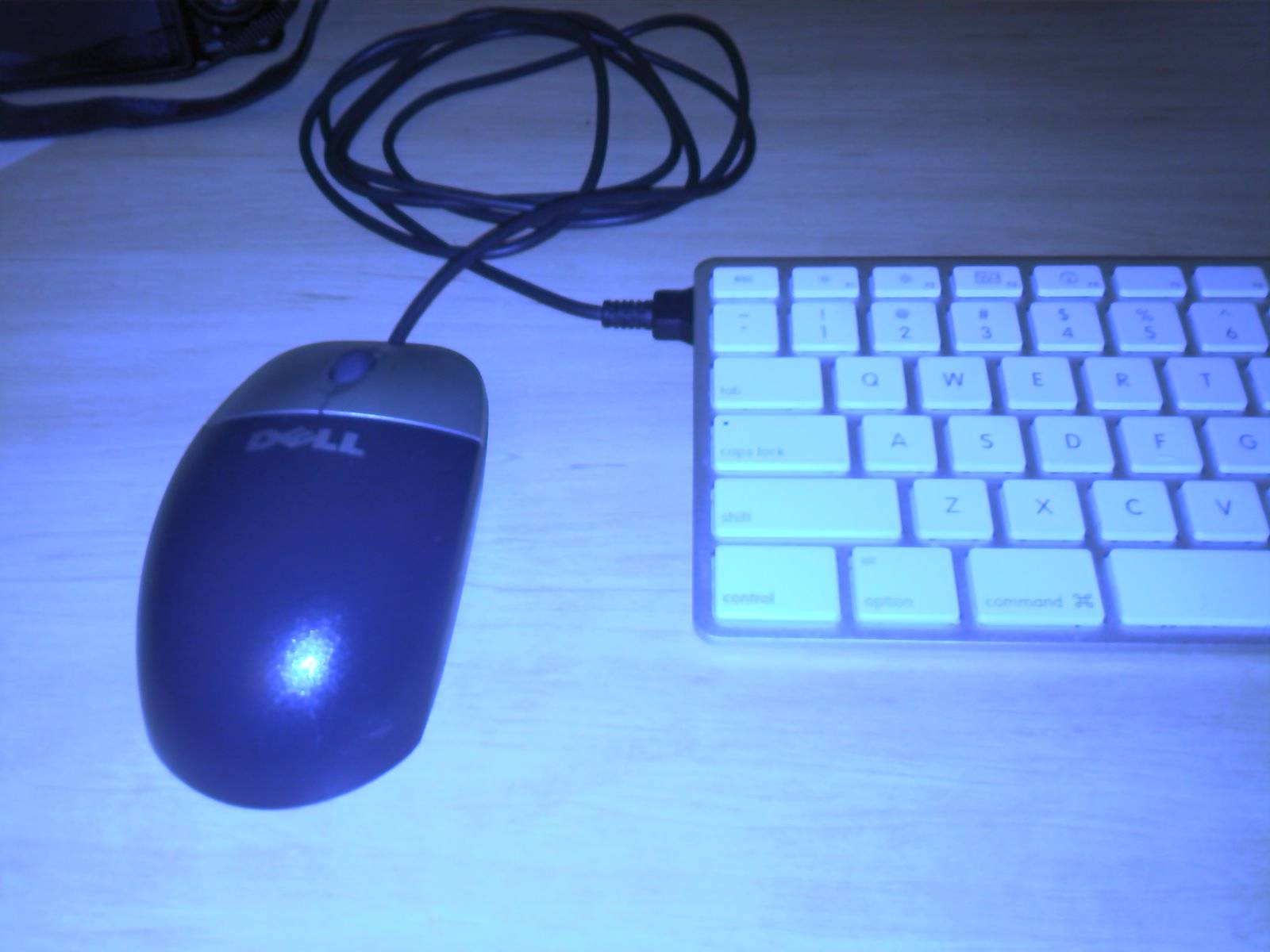
The video can record from 176×144 up to 640×480, creating 3gp files using either the H.263 or mp4 codecs. The video is quite grainy even at low resolution and switching codecs didn’t seem to do much picture-wise. A lot of the artifacts disappear in low light videos.
Continue Reading… 1 2 [View All]





I stumbled upon this blog from Yahoo and just wanted to say thanks for the reviews you posted on this blog. I am contemplating about purchasing one myself.
Thanks for the great review! I looked at getting a Excalibur and after your review I have ordered one. Looks like you can upgrade the OS from 1.6 to 2.2 or 2.3 but I don't know enough yet to safely do this. Maybe if a few of us get together on a forum we can discus it.
Nice one Andy, I'd love to hear what you think of it.
As I said in the article I've asked Chinavasion to let me know as soon as the Android update is available and I'll be sure to pass it on.
just got my phone and dying to hear about any updates for the phone!
Hi Dan. Just got the phone and so far so good. Just getting my head round it. Have tried installing Google Maps as the Chinavasion website says you can via the marketplace but I cant find it. Have you tried yourself?
The phone Chinavasion sent me doesn't have access to the Android Marketplace, and as far as I know that means you can't access it. Unfortunately that means you can't get Google Maps on the phone unless you reflash it somehow. I mentioned that in the review.
The phone is a Smart F910, and screenshots from other vendors do show the Google Marketplace app on the home screen, but the one I was sent doesn't have it. I've installed apps from the AndAppStore, and SlideME. I've done some searching but I can't find mention of reflashing the F910 as yet.
Acually Dan-o, I have a feeling that if you do a Google search for Google Maps.apk you will find the files you need. Just install them to the SD card, navigate there via a File Manager and click on the .apk file to start the install. I'm not sure whether that will work with this particular handset, but it's a good option for finding Android apps when there's no Marketplace listing available.
The issue with the Marketplace has something to do with handset signatures (I think). If the phone doesn't have the right sig, then the marketplace apps for that sig won't appear on the phone. Someone who knows this stuff much better than me will probably come along and correct me. :)
Andy/Adrian – After searching for "google maps apk" I found and installed the first one on the search results and it works very well. The only thing I can't do is login to access MyMaps. See Nigel's comment above.
Stay tuned Andy, new info is coming our way from Chinavasion.
Looks like the phone is manufactured by Foxconn and has as sold under the name of "Vibo A688" for the Vibo Telecom company in Taiwan.
Just ordered my phone and wondering if anyone has tried to flash it up to 2.0 or 2.1 yet, I am pretty keen to get it up to the latest version I can but have not played around with Android before (ex windows mobile user).
I was thinking about trying this method to upgrade the Android version, hopefully if things go wrong I can use Nandroid backup to restore my ROM.
Does anyone have comments or suggestions about this?
Cheers,
Adrian
I got the maps working using an "alternate version". Do a search for 'brut13.apk' and you should find it. Works fine on the Excalibur. I would guess an upgrade to 2.0,2.2 etc would need a version specific to the hardware platform. Correct me if I am wrong. Overall though it is a great phone. androidfreeware.org is a good source of apk's. A few features missing like some indication of missed calls and sms waiting but installed "missed calls" which has lots of configuration features like LED and audio reminders. Battery life is not that great but then I am using the WLAN heaps. I found an outer case to protect it. Belkin leather sleeve for iphone. It needs a bit of modification and is a fairly tight fit but it came with a screen cover and gives the phone some much needed protection.
Don't waste your hard earned cash on knockoff phones. Get an iphone4, you won't be sorry.
Hi. Guess you must be the caller in this video asking for an iphone 4 (http://www.youtube.com/watch?v=FL7yD-0pqZg) Worth having a look guys. Hey, I can even make calls with my Android without having to cover it in a rubber case :) Cheers Andy
I see chinavasion has upgraded the OS to 2.1, but they wont give me any information about upgrading it :-(
Stay tuned Adrian, I've just been speaking with the guys there and we should have some information very soon.
Any luck Dan? I have been traveling and have not been able to follow up with Chinavasion at this time, the last time I spoke to them they didn't want to pass on the build information. I so hope you had more luck than I did!
Hi Adrian,
Chinavasion have posted a how-to on their blog if you haven't found it yet: http://blog.chinavasion.com/index.php/6716/upgrad…
I haven't tried it but will soon.
is this phone compatible with hspa system with Bell Canada or Telus in Canada?
No. If you buy this phone for use in Canada, you'll have to install a Rogers or Fido sim card in it. That being said, the signal strength is great because of the 3g towers being set up in the big cities.
Love this 3g phone for use in Canada. Great service from Chinavasion but they should do a better job of warning people about the lack of access to the android market app. For most users, it's simple enough to find the apk files through other methods than the market but it is a hassle (for the free apps). I ordered the Excalibur 2 weeks ago and got the 2.1 android system running on it.
ALL FYI, the excalibur from chinavision can be EASILY upgraded to latest OFFICIAL firmware that includes ALL GOGGLE APPS (market, gmail, etc). anyone interested leave a valid email i will reply with instructions.
So I tried to upgrade to the newest rom but during the installation (with the phone still plugged via USB) there is an error message (step 2 out of 3). Im thinking that I should maybe try the non GSM version that is on the apanda website? The phone I have is for sure running 2.1 but I was hoping to upgrade to get the market…
Hi David, Please can you provide me the instructions to Upgrade it , my email ID is [email protected]
Ok so everything is good. The upgrade worked perfectly and makes this phone even better. Good stuff David, thanks.
Hi David, that is fantastic news!!! Can you please send the instructions through to [email protected] Many thanks!!!
David, Can you please email the Upgrade instructions for Android 2.2 on the Excalibur to [email protected]
Kind Regards
Hi David,
If you want to email the directions to me I'll post them with my review of the Excalibur Android 2.1. Email address is up top next to my name.
Dan.
Please send instructions to [email protected]
david, can you please email those instructions to [email protected]
would also love instructions to upgrade firmware. many thanks [email protected]
Could you send the upgrade instructions to me too: [email protected]
I also want to know if the official formware from google will work with other china phone hardware platforms
Upgrade instructions here
http://boston-mania.blogspot.com/2010/09/how-to-u…