
The other day I found myself using my laptop without an external keyboard for the first time in a long while, and the thing that quickly came to light was how often my hand/fingers brushed against the darn trackpad and sent the cursor off on a skitter or highlighted text or did stuff I didn’t want.
Very Annoying!
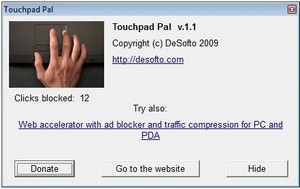
So I popped off and downloaded the most excellent TouchPad Pal freeware, which automatically switches the trackpad off while you’re typing. Bliss! Now all I get is a little pop up every so often when the program notifies me that it’s blocked an errant pad stroke, but I don’t notice anything else at all.
If you’re a laptop user with this problem you’ll need to download this little beauty immediately, it will transform your life. Really! Or you could try Touchfreeze, which is another freeware program for the same problem.
When you are typing a text on your laptop and your thumb accidentally brushes the touchpad, this leads to change the position of the cursor in your document and you need start typing again and again…Touchpad Pal is utility for Windows XP/Vista/7 that solves this problem.




There is a site warning (WOT) for Touchpad site.