
The wife’s computer crashed last week. A big meaty crash, which is unusual for Windows XP, despite what the haters say. Apart from the execrable Windows Vista product, modern versions of the operating system have been extremely stable. Seriously.
But in this case the crash was one of those which results in an endless boot-up loop, lots of blue screen, very little computing. Windows XP wouldn’t reinstall for some reason, so now I had a choice – either plonk down some cash for Windows 7, which although a nice solid system is rather expensive, or take another look at Linux to see if that would work.
I chose the latter, even though it would mean exposing my better half to a radically new environment. I chose to install Ubuntu Linux on her computer and in the event the whole process threw up some real surprises and a few realisations.
1. I’m fed up with Windows activation. Activation sucks. It is intrusive, causes problems (e.g. you lose your licence number and default discs etc) and is generally a pain in the rear. Up till now I’ve had to put up with it, but now I don’t. Why? Because…there is no activation in Linux. Just a nice clean quick installation routine. Better yet, you can choose to do a non-destructive install to see if you like it, before committing to a full hard disk installation. Perfect.
2. Ubuntu is lovely. Yep there, I’ve said it. Linux for the desktop is now a great product. Not a perfect product yet, but great. How do I know? Well I installed Ubuntu 10.10 on the wife’s machine and it worked flawlessly out of the box. No having to configure networks, fiddle with arcane video driver settings or anything like that. It just worked. OK, there was one glitch later on, where her HP inkjet printer driver was incorrectly installed (so I had to hunt around on the forums to find the fix) but I said it wasn’t perfect. And even so it easily compares with the best that Windows has to offer in terms of ease of installation. Surprised? Yeah me too. Last time I looked Ubuntu was a pain. Now it’s not. ‘Nuff said?
3. There are now enough replacement applications to make transition easy. The really *key* thing in the transition was how easy it was for her to get going on the new system without the pain of having to learn everything over again. She instantly understood how LibreOffice works compared to MS Word, the Firefox browser was identical and I moved her over to Thunderbird from Outlook Express without a murmur, custom folders, historical content and all. There are a bunch of tools to help the move of email (in the end I used DbxConv to convert her message database from OE dbx to the T’Bird mbox format and it all imported like a breeze).
There are also a ton of great equivalent programs out there to do most common tasks on the PC, apps like Audacity are cross platform out of the box, and for those quirky little programs that need Windows there’s always the WINE emulation function (which actually works, wow!) or in extremis Sun’s VirtualBox which will let you install a full blown Windows O/S in a virtual partition. I must admit, WINE took a bit of getting used to, until I realise you just have to let the program installs do all the work, and I know VirtualBox works because I’ve used it for years to test out dodgy programs on my working machine without malware jitters. So who needs to run Windows full time?
The bottom line is she was up and running in minutes with no frantic phone calls to ask how things work, or angry exclamations as she lost files or folders. It just worked. Amazing.
4. Free is an unbeatable price. Not much to say about this really. It’s just a fact, that downloading and installing a full blown operating system with an in-built Office suite and a heap of really cool features for no money is incredibly compelling. Especially when you get such a great set of free software included in the package. It’s a serious no-brainer.
5. It’s the Internet baby. The main thing you realise as you get to grips with Ubuntu in earnest is the fact that much of what we do nowadays is all on the Internet, so making the transition between operating systems is so much easier. We do much of our data gathering via the web browser, we can edit images, check email, create documents, spreadsheets etc etc all using online versions of old legacy software. Which again is just a complete sea change from the old days. I was confident in moving her over to Linux, because I knew as a fall back she could always use Google web mail service as her main message client and Google Docs as the office suite, even if they took a bit of getting used to. In the event it wasn’t necessary, but it goes to show how far the Net had come in terms of user value.
6. Linux makes older hardware sizzle. The first comment I heard after she fired Ubuntu up for the first time was ‘wow, it’s so fast’. This is such a given with Linux that we tend to forget just how much more efficient it is on older hardware. I was loading Ubuntu onto a laptop which was a couple of years old, and it made the hardware sing. Crisp menu transitions, ultra fast boot up, everything just motored along as though it was a brand new machine. And unlike Windows, this speed improvement won’t wear off with time, as the registry gets filled with junk etc. Linux really restores the lustre to old computers better than a bottle of Cleanex and a cloth.
7. The edge finally works on Linux. I alluded to this earlier, but it’s an important factor. The old Linux was tantalizingly, frustratingly, annoyingly almost awesome. You would install it and it would ‘almost’ work, but then you’d be faced with some stupid hardware function that wasn’t picked up properly, a driver that failed to initialize or something else which would drive you crazy, seconds after the install. In this case Ubuntu installed like a breeze, and it’s a tribute to the work done on peripheral and driver support that everything worked as it should have done (except that HP printer, but they’ve got a terrible reputation for driver support nowadays, so I wasn’t surprised). The mouse, plug in external drives, USB, network, WiFi, it all worked. Additional drivers and updates installed in seconds, and configuring the desktop and settings to make the machine feel like home was easier than doing it in Windows. Linux has matured beyond belief.

8. Ubuntu is totally non-geek friendly. This is a hugely important fact. Until I watched my wife using Ubuntu I didn’t really believe that Linux could ever transition from being a geek delight to something anyone could use. But now I’m convinced. My missus is computer savvy all right, but definitely not an enthusiast. She’ll use her laptop to do what she needs to do, edit photos, music, play around with video, Facebook, check emails etc. But there’s no way, like most people, that she enjoys learning new interfaces or functions. So it was pretty cool to see how quickly she settled in to the new system, without any major glitches. She’s still a bit suspicious though, which is to be expected, but I would think that will settle down in time.
9. Windows is expensive and bad value for money. What’s the alternative to free? Well how about over £200 (yes, $330!) for a full install of Windows 7 Ultimate? Considering you can pick up a laptop computer for around that price nowadays, it’s becoming more and more of a real expense and one which now requires consideration when upgrading older computers. The fact is that Windows no longer has the same value for money factor it used to have, when compared to alternatives like Ubuntu. Not enough of an uplift in functionality or features, and in fact in a lot of cases, the Linux option delivers a better experience, as with performance.
10. Security is a nice warm fluffy penguin feeling. Finally, and not to be trivialised, the fact that Linux is so much more secure than Windows is something that is definitely a huge plus. Now I know that most of the malware vulnerability nowadays comes from drive-by sites and the like via the browser, but even so, the security controls on Linux just come across as more mature, and less of a risk. Especially for less experienced users. That’s a pretty comforting feeling to have if you’re responsible for looking after someone else’s online safety.
So, it’s come to this. After sixteen long years happily using and promoting the Windows environment as the best option for general users, I find it necessary to change tack and say that unless you really need to use specialist software a lot in your day to day computing, there no longer seems to be a compelling reason to stick with the over priced Microsoft Windows product. Shocking! Are we in the process of replacing our long time dictator with one more benign? Is Free-dom round the corner for us all?
Postscript: I’m not one of those who subscribes to the idea that the PC is dead. There are too many people with too much invested in personal computing for that to happen in the near future. It’s going to be with us for a good few years yet I think, and I now think that Linux has a decent chance to make headway onto the desktop. Maybe, with a bit of luck.




Good luck getting a personal firewall, one that blocks on a per app basis. Do you know what http traffic is going out?
Yes point taken. But then again, the software environment of Linux is so much tighter than Windows, that it should be much easier to keep control of the quality of what's installed or not, no?
Point your browser to your router configuration utility and block the ports you want, how is it done in Windoze?
The libnetfilter_queue has provided an API to do this for some time.
There are a few GUIs to provide app-level granularity: http://sourceforge.net/projects/leopardflower/
TuxGuardian: http://tuxguardian.sourceforge.net/
There's not much reason to be paranoid in Linux since all applications are open source so they don't come with any hidden "functionality"
UFW is a great yet simple to use command line firewall, firestarter is a simple GUI firewall – who needs luck?
SHould have bought an upgrade part such as a new hard drive or more RAM aand qualifed for an OEM version of Windows 7, or to save even more money, WIndows HOme SErvedr OEM
Still more expensive than free.
Bullshit.
Do you know that Linux laptops are actually more expensive than Windows, don't you? All that manufacturer crapware that comes with the Win' installation reduces the current price the buyer has to pay.
Wrong, you can buy a used computer and wipe the drive and install a linux distro for pennies and it will out perform many new computers.
So, in short:
1.- Don't buy Linux included PCs; instead get a computer that initially had Windows OEM.
2.- Constantly complain because no one sells Linux computers nor offer official support for Linux.
3.- ???
4.- Profit!
shorter:
1. buy a new machine with no installed os.
2. be smart and self sufficient – learn how to use your tools and install the os.
3. enjoy your new os for it's ease, simplicity, and speed.
4. Profit = $$$ i didn't send to Redmond.
Great article and to the point. I've been using GNU/Linux for over 14 years and within the past couple of years I too have been deploying Fedora Linux for friends and relatives and dumping Windows. They are extremely happy, and none of them are technical. GNU/Linux is user friendly, and people can get their work done rather than wasting time troubleshooting Windows.
In theory it's agreat idea but how easy is is it for the non geek to do? I tried based on the advice of Trent Hamm (thesimpledollar.com) to do thar, what a nightmare, once I had to start FAT partitioning (what ever thst is) I gave up.
How long ago did you try? Things have changed now! :)
That; what they always say….
You don't need to manually partition your drive with Ubuntu, just pop in the cd, reboot, read three easy menus and in a half hour the install is done. Works out of the box for more hardware configurations than windows does.
I really don't recall making any hardware configurations during my Windows 7 installations. But I often have to peruse tons of forums, articles, etc etc just to get a lot of things going on Linux.
Maybe OP should have given the installation over to his wife to do then he can rant on about how easy it is to install and run linux, and um lets hope she wont be using the terminal whn he's not around?
Real world install of Ubuntu 11.04 on Wednesday:
1. Put in CD
2. Use BIOS boot menu to boot from it (a necessary step for an CD-based installation)
3. Select language (we're now in a GUI)
4. Click install (rather than test-drive)
5. Answer maybe 3 questions pertaining to: location (which was correctly detected); what to do with existing Windows install (replace, run alongside, or advanced config); username, password and computer name.
6. Make a cup of tea
7. Log in to new Ubuntu system.
Apart from step 2 (which is impossible to avoid on any install) my granny could manage the rest, let alone my wife.
I don't know what you were doing, but I got two people to dual boot on their laptops and within weeks they just gave up on Windows – and they managed to install it themselves – one with Wubi, the other by using the normal installer. So…
2011 is the of Linux!
The "ubuntu" link under the article goes to a 404
Are you sure, they both work for me! ?
Try using Arch instead of Ubu… oh, wait!
Your post reads like any Linux Fanboy rubbish.
1) The thing is that If anything goes wrong you will be forced to drop down to fixing at the terminal … this just doesn't happen with Windows … just doesn't happen.
2) Also you used the most expensive version of Windows to compare against … Home Premium is £60. Not very expensive when it will be supported to 2020.
3) Ubuntu versions are free but LTS is only supported for 2 years … Windows you have support for 10years+.
4) Wine works for some stuff but quite a lot of programs won't work properly. Also to use Windows virtualised legally you must have a Windows License.
5) Activation only occurs once per install.
Sigh. If you read what I wrote it is clear that I am not a Linux fanboy.
1. My wife has not had to revert to the terminal once. Remember the whole issue came about in the first place because Windows crashed terminally, without any chance of a fix. Doesn't happen in Windows? Really?
2. The Home Premium version of Windows 7 is universally acknowledged to be sub-par when compared to Ultimate. If you want the best experience you need to spend the extra.
3. So what? After 2 years you still have a helpful Linux community and loads of forums to refer to. Windows support is execrable, absolutely awful with most requests being fobbed off to 'ask the manufacturer of your computer.' And funnily enough they then send you back to Microsoft. Catch 22. Support? Yeah right.
4. I did say that WINE would work with the 'quirky little programs', which implies I'm aware that it won't work with mainstream products like Photoshop for instance. However as I also say, there are alternatives you can use, both online and offline to replace many Windows programs.
5. Once is enough! Especially when compared with zero!
1. This is rarely the case … you are lucky. Ubuntu is known to break during distro updates (like most Linuxs) however at Least Distros like Fedora. Bug in your laptops display resolution reporting … you are editing Xorg.conf files and setting modelines (have to do this on an Acer notebook). Wifi Driver not in the kernel … you'll be compiling kernel modules.
2. Home Premium is absolutely fine for a home user. I have professional and I can't actually tell the difference when using my brother's machine. What is subpar for a user I am not quite sure … maybe no IIS and Encryption … like most people even know what that is … oh please … making mountains out of molehills.
3. The Linux community is anything but helpful. Sometimes I have seen downright wrong information posted on forums (ubuntu) … such as dd if=<somefile> of=/dev/sda … way to go you just nuked your partition table.
I prefer to read a Microsoft KB than some random forum post.
Even if telephone support is naff (always is btw). Security Updates for Windows are for 10 year.
Most knowledge based articles are a google away (which is exactly what you are suggesting to do when running into problems with Ubuntu).
4. No you didn't … however any program you need Windows for and doesn't have a GNU alternative is not actually going to work reliably if at all on Wine.
5. Really is activation that bad … just press the button once while on the internet … people complain about activation …. but never can give any concrete reasons as of why it is so terrible … all it does is say "is this key valid?" … after everyone and their wife pirated 2000 and XP.
We'll have to agree to disagree then. ;)
1) No it's not. I have other machines running Ubuntu and they're also fine. Not sure what you've based your data on. Modern versions of Ubuntu are very robust in my experience.
2) Well I could mention the lack of XP Mode for full backwards compatibility with legacy programs, and multilanguage support which Home doesn't support. Oh and backup to network. But I won't. Because it's still $100 vs £0!! :)
3. You prefer to read a Microsoft KB rather than a forum post? Excellent. If you can find them after they've been moved for the nth time. Many people, myself included, much prefer forums which are interactive and current.
4. Yes I did! One of the great things about being the writer is I know what I wrote. And it's not true that WINE doesn't work reliably with various Windows programs.
5. Yes activation is really bad. It restricts my use of a product I paid for. Not to mention the hassles that can arise if you innocently forget to activate your OEM license in time etc etc. It's like copy protection DRM on games, it unfairly penalizes the honest user by making their product harder to use, re-install etc. The fact is Linux doesn't have it, which makes it an easier product to use. Period.
As I said at the top, we'll have to agree to disagree (I notice btw you didn't pick up on any of the real Linux strengths such as speed and security), Anyway I think this thread is done now from my part. Thanks for your contribution.
I am offended by #3. I have spent countless hours helping newbies for free, even coding and configuring and tuning for FREE. Dont generalize your own experience, its just a bad induction.
#1 Not really. And besides that, the terminal is just great. Its not difficult at all. There is no xorg.conf anymore, there is no need for a configuration file for the X server.
#2 and you are limited to the smallest network of the world. The cheap editions of MS are featureless compared to what Linux can offer.
#3 maybe its just you. Claiming that about a community with the size of the linux one is extreme. Thats just your experience, maybe you are the bad guy even :P
#4 Just dont use windose programs. Why would you
#5 No activation is better than activation, almost by definition
Your post reads like any Windows Fanboy rubbish.
<sarcasm>That totally refutes my points … I give up you win … </sarcasm>
A new version of Ubuntu LTS gets released very two years. The desktop edition gets supported for 3 years after release, the server edition five years after release.
WINE is not Windows, does not run Windows virtualised and does not need a Windows license. You do need to check the license for the software you are running under WINE to make sure it permits it.
It would read like Linux Fanboy rubbish if everything he said wasn't true. Yesterday I received a brand new Thinkpad and installed a copy of Ubuntu on it. I've been using Linux for four years and can attest to the frustration of broken driver hell when trying to get a new install to work. No such problems this time around. He's also correct about Linux being secure. My mother has an Ubuntu install she's been running for three years without a glitch. It's circumstantial evidence I know, but still confidence inspiring. You're right about Windows having long term commercial support, but as a Linux user it's not as if you're left completely adrift. I've never had a problem I couldn't solve through a Linux forum. Btw, who doesn't like a free OS, free applications, fewer virus threats, and no activation hell? Unless you're a gamer or someone with a need for specific Windows apps, seems like a chummy deal. I've been using Linux for four years, and have yet to feel the need to switch back to Windows, but YMMV.
you're right about the price and activation, but please dont use the word 'rubbish' it just sounds funny.
Oh no, not the *terminal*! Not that rock-solid environment where I can correctly diagnose and fix problems! Crappy Windows wizards are so much better.
Your post reads like any Linux Fanboy rubbish.
>1) The thing is that If anything goes wrong you will be forced to drop down
> to fixing at the terminal … this just doesn't happen with Windows … > just doesn't happen.
Usually the command line/terminal is used only because the user *wants* to use the terminal – i.e – it's an available approache – there is a choice. There are GUI apps for virtually everything that you could want to do, even for dealing with GRUB etc.
"this doesn't happen with Windows" simply because the Windows command line is not as capable, even with powershell. Most windows applications do not provide that command line flexibility.
>2) Also you used the most expensive version of Windows to compare >against … Home Premium is £60. Not very expensive when it will be >supported to 2020.
But you have to compare the most expebnsive version – as it's the most fully featured version of the OS and accompanying apps. Although let's face it, even then, Windows lacks any decent productivity apps on a default install without downloading/installing additional software. Ubuntu comes by default with PLENTY of apps *by default*.
>3) Ubuntu versions are free but LTS is only supported for 2 years … >Windows you have support for 10years+.
But there is a continual update path with Ubuntu, and you don't have to wipe your disk and start again or pay for the privilege just to move to the next version. Also, being linux, you can choose to use alternative software repositories that DO provide an ongoing patch/upgrade path if desired.
>4) Wine works for some stuff but quite a lot of programs won't work >properly. Also to use Windows virtualised legally you must have a >Windows License.
But it's usually only the quirkier, badly written apps that wont run under wine – and as there are so many cross platform apps available (FF, Open/Libre office etc..) or else equivalent alternatives available, is it really an issue.
Yes, you will need a license for a licensed app or OS, but how is this any different from running that licensed app or os on Windows anyway – it's a pointless statement.
>5) Activation only occurs once per install.
Oh Really? You should try upgrading some hardware – then enjoy the displeasure that, once again, you as a GENUINE LICENSED user have to prove, YET AGAIN that you are not a criminal or software pirate and that you have a right to use the OS that you purchased.
Re point 3: By my count, late 2009 to early 2015 isn't 10+ years.
Ref: http://support.microsoft.com/lifecycle/?p1=14498
1) bullcrap. I'm actually dealing with a windows update failure right now in win7. There is supposedly a tool to fix it, but it doesn't work. The alternative fix, is using cmd, a lot of it too. So, you must not have ever had to do any REAL windows maintenance to say something like that. In fact, if you look through the database of solutions to windows problems on MS's site, probably half of them have methods to fix them via the cmd. Linux does use it more, but lets not pretend windows never does need it. That would be a lie if there ever was one.
2, 3, 4 are valid points. Especially 4. Wine works perfectly about 50% of the time, the rest of the time there is usually a big fat gotcha. I'm sick and tired of people recommending wine. Usually, it's a bigger hassle than it's worth. I have a love hate relationship with it.
5) again, bullcrap. If you EVER upgrade your hardware much at all, you will most likely have to re-activate, because windows will think it's a different comp. I've had it happen with a ram upgrade, video cards, and sound cards. What's worse, is when you have a windows problem, decide to re-install, only to find out you've re-installed too much, and your key is no longer valid. It's happened to me 3x with xp, 1x with vista (only had it for 2 months, ran ubuntu on that laptop after that). Not yet with win7, but I'm having major problems with a computer it's installed on, so it's probably bound to happen there too.
Windows Fanboys exist only in the mind of ABM-ers.
Join Penguins United Against Linux now, and stop the madness!
"But in this case the crash was one of those which results in an endless boot-up loop, lots of blue screen, very little computing. Windows XP wouldn’t reinstall for some reason[…]"
Have you actually thought about that "some reason"?
Spent half a day searching for the reason online. Something to do with SATA drives being a no-no unless you could find some special driver or something…blah…blah. Gave up, installed Ubuntu, problem solved. :)
You mean an operating system from 2002 didn't support SATA? Have you ever tried RedHat 8.0… Just kidding.
Why, looking for the proper driver from the motherboard manufacturer's website was sure enough a monumental task! All that you spent downloading Ubuntu and migrating your wifey to a completely different environment, I am sure you couldn't have used to figure out how to use n-lite to slipstream SP3 and the AHCI driver and get the job done in, I don't know, an hour or so? Or maybe just read the error message on the "lots of blue screens" figured out what the problem actually was?
That would have been silly.
Yep, totally silly. Which is why I gave up, wandered over to my shelf to grab the disc, and had an awesomely fast laptop running with Ubuntu on it in around 15 minutes. For free. :)
You could have also used the copy of Windows you already paid for when you bought the computer…
Since you didn't elaborate as to why XP wouldn't reinstall (assuming you're using install media that shipped with the PC, which would have the appropriate drivers) and why it had a sudden catastrophic failure, I can only assume hard drive failure. Run a SMART utility on that machine ASAP. Not even Ubuntu is invulnerable to component failure.
If a SATA drive was installed and the install media was old enough, it wouldn't work until you slipstream the SATA drivers in and burn a new install disk. I've done it and it isn't hard… But it is harder than just installing new versions of Ubuntu. Ubuntu did a good job of making their install user-friendly, which is the first step to going mainstream.
To be fair, any Windows install disc with XP SP3 or newer (maybe even SP2) should have the proper drivers to recognize SATA drives in AHCI mode that are greater than 127 gigs in capacity. Also, every Vista and Win7 install disc has a full GUI installer that can load RAID controller drivers off removable media.
Sounds like he was trying to install with a very old XP disc that was either generic or came with a different computer.
You can also just go online and get an updated copy of the XP install media form a "third party source" in the same format you download Ubuntu in, burn to a blank disc, and use the key on the PC's COA sticker. The install media doesn't matter, only the license does.
Usually you'd be right. I've actually had a problem on a laptop with winxp on it that I was trying to fix for a friend after winxp died (virus). It had a sata drive (like many laptops do, even back in xp days). I slip-streamed the driver into an xp disk, and what would you know, driver from the manufacturer failed to work, and the OEM didn't have it on their site. The drive was fine. They are actually using it as an external I believe to this day (they ended up getting a new laptop, sick of fussing with their old one).
Likewise, win7 has problems with some intel ssd's that supposedly are completely compatible with windows 7…ones that win7 is supposed to already have drivers for by default. The only way I got it working on that machine, is to install to a typical hdd, and clone the C: partition to the ssd (good ol' gparted), and hack the crap out of the windows bootloader to boot on the ssd. It will NOT install to the ssd, but it can use it fine afterwards. (and yes, I did try loading the driver during the install, still doesn't work, I was surprised)
I've been using Ubuntu since 4.10 I think… What drove me to the dark side was the same reasons stated here. I simply grew tired of figuring out what was wrong with Windows. Ws it easier in Ubuntu? At first, it wasnt but the hurdles were different. In 2004..
Cons with Ubuntu:
Laptops compatibility was sometime a nightmare
Some apps were missing equivalent in Ubuntu compared to Windows
File system could be a pain when accessin a NTFS disk
Media creation was weird in some cases (creating a home movie on dvd…)
Some boot script were required sometimes
Cons with Windows:
Viruses threat!
OS would slow down for no reason overtime
OS would crash, sometime to a point of having to reinstall everything
Driver hunting was just plain crazy
Getting help was not that easy end always ended up as reboot the machine
High risk with a new software, never knowing if it would compromise your system
Windows upgrades would always break something
Anyway, I went the penguin way as a personal choice and to see if I would be more confortable on such an environment at home. Windows was still part of my daily life at work, so I could compare.
Windows is always the same routine, whatever version you have: anti-virus is a must, you never know if a software is compromised, some hardware may stop working with the new version, too many drivers version for the same hardware, overheating on laptops, etc…
On Ubuntu, once you were setup, it was done. Sometimes you needed to put some effort, but once everything was running smooth, it would continue that way. Only thing to fear was the upgrade to the new major OS version that could wipe your tweaks for your hardware.
And then came Ubuntu 9.04 and Vista… While 9.04 was a joy to use as a lot of annoyances were fixed, Vista was a nightmare. That completed my turn to the dark side even at work.
But all that was a long time ago, and now we have Ubuntu 11.04 and Windows 7. Both seem to work great and get the job done. I still use Ubuntu at home simply because I am used to it. Win7 looks good, but my current hardware would probably not support it (hardware requirement or drivers not available). The Ubuntu routine is… Wait… There is no routine involved… It just work out of the box, even with my iPhone 3GS, any webcam, etc… The Ubuntu team made a great desktop environment where it works out of the box.
Is it perfect? Nope! My iPad is still not supported for music and video sync with the latest iOS. My old, very old laptop Averatec still is not able to install Ubuntu because of a hardware glitch with the video card, iTunes does not run so still need a Windows XP just for being able to upgrade iOS on my devices. But that's it…
The Averatec laptop can barely run Windows XP with latest service packs, even if it was made specifically for Windows XP. iOS 5 will solve the dependency to iTunes, and the iPhone 3GS is completely supported by Ubuntu for music and videos and apps document folder without having to install some iTunes alternative.
Overall, I'm wuite happy with Ubuntu as I don't have to think about firewalls, viruses, activatioins (not only for the OS but for apps also). Community is great, a lot of support and howtos. Hardware is well supported in general. And the GUI is way more pleasant in Ubuntu than on Windows (XP or 7) for me. All my softwares are updated regurlaly, not just the OS. No need to hunt the web for apps as everything is in the software manager. Anyway, you get the point, I have all that I need.
Yep, Ubuntu is free, but is it a valid point if you cannot run the software you need? When using Ubuntu, you have to go the Ubuntu way. Trying to use it the Windows way will end up with frustrations. As it would the other way around…
Enough said! While you cannot try Windows 7 for a trial easily, you can do so with Ubuntu using a live cd or an USB key. Just give it a try to see if it works on your hardware and if you like it, use it!
Thanks very much for that coherent reply Patrick. Very interesting points, which to a large extent mirror my experience. Except I never had the patience to keep Linux installed on my computer in the past when it meant messing around with all those glitches. I just instantly uninstalled and went back to good old Windows.
The change now is that Ubuntu has removed 99.99% of those glitches, which is excellent. :)
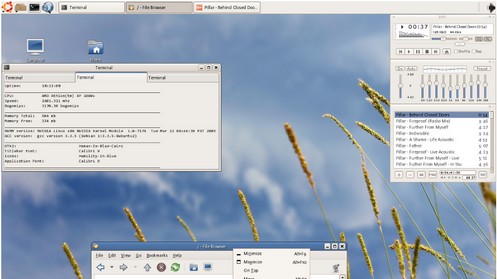
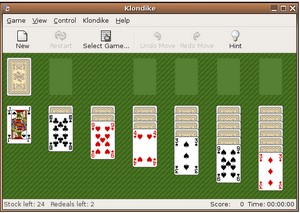
Why are your screenshots are from 2005?
Wikimedia Commons.
like your post. well done.
don't like the new unity-desktop:)
I think its ok, but slow. Try Lubuntu or Xubuntu
Activation is not a problem normal people face. Most people buy a PC and Windows is already installed and activated. They do not buy Windows and install it themselves or reinstall the OS every now and then. I like Ubuntu and have tried it since version. For the most part is is ready for prime time but unless there are PC's with it pre-intalled and the local computer shop the public won't be using it.
Get to the facts, guys.
There has been and still are many pre-installed Linux PCs. And there are also computer shops and franchises that offer to install you Linux if you don't want to pay for a Windows license. Also, many governments forces their employees to use Linux (in Spain custom distros, in other European countries Red Hat or SuSE or whatever) and even give installation CD/DVDs for free.
And guess what? Most people still don't want to use it. So *please* stop evangelizing us about the (supposed) wonders of Linux, because we're plain sick of that spam.
I agree with you that activation is not a major issue, at least for Windows. But when an app do require an activation, darn it can be frustrating. I'm not talkning about piracy or illegal copies.
A few years ago, I bought a designer software for home renovation, for 30$ which required an activation. Everything went well until the computer died. Got a new desktop with Windows and reinstalled that software… Guess what? I could not reinstall the app as i could not activate the license. The company probably went out of business and the activation server could not be found. So 30$ down the drain… It's not a Windows issue properly, but this is quite common in the Windows ecosystem…
As for having pre-installe Linux computer, Dell tried it, HP tried it and many others… It did not work simply because people don't have a clue about what is an OS. Often, people will think that Internet Explorer is the OS… So they stick with what they know best: Windows. But even then, they do not know how it works or what it does.
We are all in a way geeks here… How often have you had a member family called you asking for help in Windows? And often for really simple things such as:
– where is my file?
– I lost my pictures
– I dont know what to do… ("Do you want to save your file before exiting? ")
– it's not booting anymore…
You know the drill… And each time, they did nothing… So asking people to get a computer with "What's that?" OS won't work.
For most people, computers are black magic voodoo stuff that can be dangerous to mess with ;)
I live in Christchurch NZ, and provide IT support for a large number of businesses. Internally we only use Linux (mostly Ubuntu) but our customers use Win XP and 7. When we had our big earthquake, and many people lost access to their offices (and software licence keys), they had to build new computers or work with those belonging to friends to get back in business. Many of them had power, internet and computers in the day or two following the quake, but some had to wait up to 2 weeks before proprietary software companies like Adobe and Microsoft would provide them with their software activation keys. In the meantime, they were dead in the water… this wasn't something people considered in their "disaster planning"… Of course, we Linux users had no issues whatsoever. Some of our customers installed Inkscape, Gimp, and LibreOffice after the quake, just to be able to get back to work, and many of them are continuing to use them in preference to the proprietary alternatives.
Wow, that's a fascinating story Dave, and an example of yet another nasty unintended consequence of the supposedly 'benign' Windows activation process. Thanks.
I know someones buys a second hand computer without windows…..
Well – you basicall said that Windows sucks.. But can you convince anyone to dump Mac OSX for Ubuntu?
OS X is already Unix-based (FreeBSD), so I'm not sure what switching to Linux buys you. With MacPorts and Fink you can already run ports of many Linux apps under X11 alongside regular Cocoa apps while running OS X.
I dumped OSX for Linux because I was not willing to spend the premium to stay with Apple hardware in order to run the latest Apple OS. The Mac OSX worked well, but there just wasn't enough advantage to stay with Mac once i discovered how well Linux runs on ordinary PC hardware.
well I installed ubuntu 10, took me a couple of days to get my wifi to work… Wanted to use it as a development machine. After a couple of days my Aptana installation just stopped working, I spent days trying to install ruby 1.92+rails 3.1…
I am giving up. Still not comparable to Mac experience, where stuff just works
To each his own. I used ubuntu as my default development machine for years, switched to OS X and after a few months I still have a handful of things I'm not happy with in OS X. OS X does make up for some of these missing features with enhancements in other areas.
Until major software developers see linux as a viable platform to make money, Ubuntu will never be ready for mass audiences. Web applications are still not enough.
Very well written. I had the exact same experience, and all my family members (wife and kids) use Linux without problems. I even bought a laptop with Windows 7 and my kid wanted Linux instead. Wow.
There are now some manufacturers that will install and configure Linux for you. Zombie Processus for example offers Arch Linux with its laptops! Love seeing companies taking that direction :-)
Ubuntu or the "Gestapo friendly" LInux.
Before you start singing prises to this bloatware look at the processes its running. One of those is zeitgeist, a passive logger, that logs all your activities – from applications you've opened, to websites you've visited, to your chats and skype communication. It stores everything in .local/share/zeitgeist/activity.sqlite database (this is a hidden directory in your home directory). Google it.
Shop around a bit, there are a lot of distros out there that are at least as user friendly (often more) and they don't track everything you do.
zeitgest powers universal search, if you don't want it turn it off.
I recently installed Ubuntu and I was flown away! While installing you set up your internet connection, user name, keyboard preferences, etc. It even downloads additional content while installing the OS. Really easy to install and use.
I have been considering the switch away from Windows for years. The only thing that has stoped me has been the lack of games for Linux. I guess I could always dual boot, but having Windows still hanging around would make it to easy to fall back into the old habits.
What about people with an iPad / iPhone…? No iTunes = can't put new media on the device?
Or did they fix that?
And how about games?
Photoshop?
I used Ubuntu for a little over a year before I gave up…
The iPhone 3GS is completely supported by 11.04. Music sync is done by using Banshee and video sync is done by gtkPod.
As for the iPad, still no luck since the newest iOS version.
Both devices are well supported to access pictures and the apps document folder where you can drag'n drop files you need into specific apps on your iDevice.
For movies, I just use MyMedia or oPlayer where I can drag'n drop movies thru USB. Just as good as using iTunes to put movies in the default location. I dont listen to music on the iPad (it's a bit big for an MP3 player anyway).
Only thing missing is the ability to upgrade thd iOS version. But with iOS 5, that won't be an issue when available.
There are a lot of games available, but not as much as Windows. But in the end, even in Windows, I wasn't installing games because they were always screwing something. I prefer having a console, which more convenient for the kind of games I play.
If you really need Photoshop, stay with Windows of OSX. But if you use it in a casual way, Gimp is your friend.
As said in a previous post, if you are trying to use Ubuntu as a Windows machine, it won't work as this is not Windows.
Keep in mind, Dean, that it's Apple's fault that you can't use iTunes. If you want your computer company to dictate what other software you can or can't use, then that's your prerogative, but I, for one, wouldn't give Apple my money because they don't actually have my best interests in mind. They make good stuff, but ultimately, like Microsoft (who are decidedly less competent than Apple), they're a greedy bunch: profit ueber alles.
To clarify: it's Apple's fault that you can't use some Linux-native software to access the iTunes store, because Apple want to completely control access to it, and this is an "anti-feature". Apple, of course, also want you to buy their computers (once you've bought an iPad or iPod or iPhone or iWhatever), so they don't make a version of iTunes available for Linux. They want to ensure a total monopoly so that they can clip the ticket at every possible opportunity.
Dean, the beauty of Linux is that everything's possible ;) You can apparently synchronise your iDevice on Linux via GtkPod.
Source: http://www.makeuseof.com/tag/6-ways-to-sync-music…
no games? are you serious? ipad/iphone, no problem, itunes is bloated, slow garbage, I havent used in years. photoshop? really?? no. really???? thanks for the laugh this morning. I needed it.
You sound like a novice!!! Let me give you an insight
Nope. Ubuntu won't be ready until upgrading Firefox (or any individual package) doesn't force insanity like opposite window controls or Unity without asking. Regular people aren't interested in seeing drastic and seemingly nonsensical changes like that for no reason, and almost certainly aren't interested in being part of some grand OS experiment. They want something that is consistent and works.
While package management is an excellent concept, the way Linux packages are handled–with shared dependencies–is what engenders the ridiculous milestone-distro system that I think is keeping desktop Linux back. Having to swallow upgrades to every single package on the system just to get one package (like FF) upgraded means that instability and unwanted change–exactly what regular users hate–will be ingrained in the experience.
The solution, I think, is either to get rid of the shared-dependency concept and move to a more Windows-like static install system, or form a truly stable rolling-release distro. The only big one is Debian/Mint, but from what I hear that's still too unstable for even power users.
The shared-dependencies in Linux is the same as DLL version in Windows. When installing a software in Windows, the installer will add runtimes, frameworks, newer version of DLLs whitout you knowing about it.
The concept of having shared libraries is to avoid duplication in your system. While you can have multiple version of the same library in Linux, this is impossible to achieve in Windows because of the way Com objects are registered. So if the new DLL version is not working with another app, but required by your newest app, you're screwed.
About stability issues, I dont know what your talking about. My systems are always up to date, and i never got stability problems because of a minor update.
Even Windows have minor updates but you wont know what it is actually doing at the library level.
Even if your Firefox installer in Windows looks like a single EXE file, it will update so much more than you can think of. It's just that you dont see it. Any EXE installer will have DLL updates that are required for the software to run and those DLL are often not related to the software itself but in the core System32 of Windows, affecting other apps at the same time.
Dependencies will always exits, whatever OS you are using. But with Linux, you are at least aware of that.
As a Mac user, I am glad Ubuntu has a Gnome configuration with the window controls in the correct place!
The only REAL problem with linux is the lack of some crucial applications.
I can use the obvious example of games but, also, I'm a musician and there's no way I can use my VSTs under linux. Graphic designers would miss adobe products. And on, and on …
That's a chicken and egg problem : there are not enough Linux users so big companies don't develop Linux software. There's no viable couterpart to Win/mac software on Linux, so users don't use Linux (please don't tell me about the Gimp or Ardour, these are NOT viable counterparts !)
A colleague and I are founding a company which develops software for musicians (www.springbeats.com) , and we definitely are developping a commercial Win/Mac/Linux application. But that's not gonna solve the chicken and egg problem at all, that's like a drop of water in the ocean. If all the major companies did that, then it would definiely be a game changer. But it's not gonna happen soon, unfortunately.
There is one killer feature that Windows still has that prevents me from converting my wife successfully (she tried it a year ago):
Netflix Streaming.
It also prevents me from using Linux as a media box.
I also feel like LibreOffice/OpenOffice is a lacking replacement for Word. But then Word 2007 came out and removed most of the advanced features, so Word 2007 is a lacking replacement for Word 2003 as well… For my own use, there are lots of other apps missing from Linux that I use. And believe me, I've looked.
Please disable the floating follower count on your mobile site. I can’t read your entry because it is blocking text.
there's some crap on the right side of the screen on mobile, following me everywhere and covering the text
@tahiti bob: Have you seen Big Buck Bunny, http://www.bigbuckbunny.org/ ? The graphic designers on that movie seems to have done well without Adobe products…
@dean: I have a Windos box. No iTunes. No Games. No Photoshop.
And have any of you haters tried Linux in the last couple of years? Even ATI & nVidia GFX cards works now a days. A hard to install? Try it, it’s all I can say.
http://www.ubuntu.sun.ac.za/wiki/index.php/W7_The…
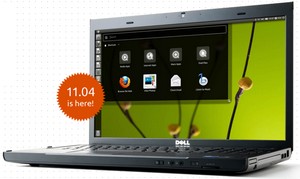
Interesting that you chose the old version of Ubuntu. I upgraded to 11.04 and have had nothing but problems on my laptop since. The new unity interface is awful. It forced me back onto Windows 7 for my newest laptop.
I have a dell with a multitouch keypad.. I like using the multitouch often. Installed Ubunt 11.04… It doesnt support multitouch… Also i am not able to adjust the screen brightness. I hate Ubuntu..
I have been running Ubuntu in my laptop for about a month now a d it's awesome! I don't think i'll ever go back to windows!
And i think it's cool that Ubuntu is supported for two years only! Come on who wants to keep using the same os for 5 years let alone 10 years…it's so exciting to know that Ubuntu gets better every six months!
@balaji: Sorry it didn’t work. But I’m guessing it doesn’t work i Windows without drivers. You should hate Dell instead…
Try using the newest version of Ubuntu, 11.04 Natty Narwhal. The UI is completely different (from Gnome 2 to Unity). I also made the switch to Linux, but it was years ago when Vista came on my new laptop. After Canonical imposed Unity and ruined the UI, I switched from Ubuntu to Fedora… although I can't say that Gnome 3 is much better.
Does it still look like crap? I like the icons on Ubuntu, but that brown default theme is vile, menu buttons, etc. look more like an engineer's experiment, than something designed for the public to use. I understand you can change these, but it doesn't give a great first impression.
Does it still not play mp3s out of the box? Because that was an annoying additional extra I wasn't expecting last time. Nobody uses .ogg. Let it go.
Most people want a computer that just works when they start it up.
I couldn't play multiple sounds at once, nor work out how to record my own output. I can do both of these easily on Windows/Mac.
I'm yet to see the cost saving of Linux. Yes, if you've got old hardware, you can stick it on. But old hardware will have a similarly old OS already installed on it (that you've already paid for).
If you're buying a new machine, the suppliers selling laptops without an OS will charge more than ones that come with Windows, and when something goes wrong – will blame everything before they admit there might be a hardware fault.
Even IBM/Lenovo – who started selling laptops marketed as being designed for Linux, claimed that "most" of the hardware should be Linux compatible. Who wants "most"? I want "all"!
If you buy a machine with Windows installed, take it off and put Linux on.. there is no cost saving. You've already paid for an OS – you've just decided not to use it. More money to Redmond.
Where is the problem with Windows activation? You need the sticker with code (usually on the system case). If it doesn't work, they do have a (free) helpline. Unless you're using a dodgy copy of Windows, it's fixable in minutes.
Also, Linux is still lacking crucial software for me. Where is Adobe Audition? Or Amadeus Pro? Or anything like that? Goldwave? I find Audacity to be very slow and awkward, and it's pretty much the only usable sound editor. The UI is rubbish.
Is Libreoffice better than Openoffice? Openoffice also slow and clunky – on all platforms, not just Linux. Say what you like about MS Office, but up to Office2003, it was a lot better and more stable than Openoffice is now. Office 2007 is a bit stupid/counter-intuitive, I'll grant you.
The iPhone/iPod/ipad isn't actually supported on Linux. Think about that. If/when it goes wrong, and you're trawling for support, you've not only got to find someone using Linux with the same problem, but also someone using the same flavour of Linux. Apple will never release a patch for you Linux guys.
That said, if you want a netbook, or something for just internet/email, or you use mostly cloud-based stuff like Gmail, go for it. There's plenty of people with iPads who only use it for checking IMDB while watching films (I've met several), so you can get a cheap old laptop and feel smug you've saved £500.
P.S. Only a fool buys Windows at full retail cost. Hardware upgrade + OEM or Upgrade = much much cheaper.
I'm afraid you lost me at 'what's wrong with Windows Activation?'. :)
lol what switching from windows to linux is like switching from bmw to mazda
hello – The difference between a bmw and a mazda is what? Brand prestige doesn't equal quality. In fact you'd probably that Mazdas have less problems than bmws.
#justsayin'
After installing Ubuntu 12.04 (from 10.10) i am quiting Linux for good !!!
Why?
OK firstly I think the write-up was very good and to the point. Also the debates in the comments sections were very enlightening, so thank you to all that contributed. And after reading through most of the comments I think I am in a nice position. I currently have Windows XP SP3 and Ubuntu 12.04 LTS installed on my desktop. All I did was partitioned my little 160GB (150GB is usable) internal hard disk into 3 drives. 70GB for my XP SP3, 50GB for Ubuntu and the remaining 30GB as a common data pad for both the operating systems. I have to say being a Windows user since birth, Ubuntu 12.04 LTS (can't comment about previous versions) does a brilliant job of whatever it is that you need to do on a computer. I mean all the functions that we REALLY need and are supposed to be what computers are for, Ubuntu does for me. BUT I did find out that Ubuntu sometimes is pretty sucky at giving me support for a few apps I needed to use like Photoshop and a few games. Now I use a Nintendo Wii for gaming so it's been QUITE a while since I played a game on my PC. So that isn't an issue anymore. But as I said even after using Windows since Win 95 I did not find using Ubuntu even a small problem, it was actually like stepping into a pool of cool water on a warm(not hot) summer's day. Ubuntu is like an Android firmware tailor-made for my computer, how awesome is that! So for people who are divided I would recommend XP Professional dual-booting with Ubuntu 12.04 LTS is the way forward. For me XP is the one on the Windows side and Ubuntu 12.04 LTS is my first Linux, so I am EXTREMELY satisfied on both accounts.
Note : This post as you can see was written on 19th of June,2012 when Windows 8 is under development and the world's going gaga over Windows 7. Win 7 is not my personal choice because it's too big. That beast needs too much fodder in terms of processor and computing speed and does not do much more than my XP. I mean I don't need it's swanky interface if the cost is upgrading my hardware just so that Win 7 can run.
XP SP3 | Ubuntu 12.04 LTS
Thanks for the comment. You seem to have come to the same conclusion as I have, Linux works. Which is excellent. The big thing for me is the fact that it revitalises old computers and makes them as fast and usable as the latest swank hardware. That's awesome. By the way, if you like Ubuntu, then take a look at Pear OS, which I think offers even more of a seamless transition from Windows to Linux. It's a great performer and looks stunning. http://pear-os-linux.fr/
Looks interesting. I'll look into it. Thanks. One look at the screenshot of the Pear OS on their home page and I see the object dock. So at first look it looks like an easy OS for a Windows to Linux transition with a OS X graphic overlay. Interesting indeed. How easy will it be for me to migrate from Ubuntu 12.04 LTS fully installed OS to this Pear OS? I mean I will have to delete the partitions and stuff once again,won't I?
Their Pear Linux 5 Beta 2 32 bit seems to have received many good appraisals from users. Worth a try probably. What distro do you use?
I have Ubuntu 12.10 running on one laptop, Pear OS Netbook running on an Asus and I'm currently testing Pear OS 5 Beta to replace Ubuntu and maybe dual boot it on a Windows work laptop.
Regarding your upgrade, yes I suspect that it would probably be better if you start again with Pear if you decide to go that way. I'm not an expert on Linux at all though, so it may be worth getting a more knowledgeable opinion from someone else. :)
Haha OK I will look into it thanks anyways. cheers